
Getting started with Azure Foundry: A practical guide
INSPYR Global Solutions, Technical Blog

Artificial intelligence is transforming how applications are built, and Microsoft Azure Foundry provides a unified platform for developing, deploying, and managing AI-powered solutions.
It brings together foundation models, intelligent agents, enterprise data integration, and development tools into a single environment, making it easier to create production-ready AI applications.
At INSPYR Global Solutions (IGS), we believe that learning emerging technologies is one of the best ways for developers to stay ahead. Rather than exploring every feature Azure Foundry offers, this guide focuses on something much more practical: creating your first AI agent and getting it ready to integrate into your own application.
Step 1. Sign in to Azure
Sign in to your Microsoft Azure account and access the Azure Portal.
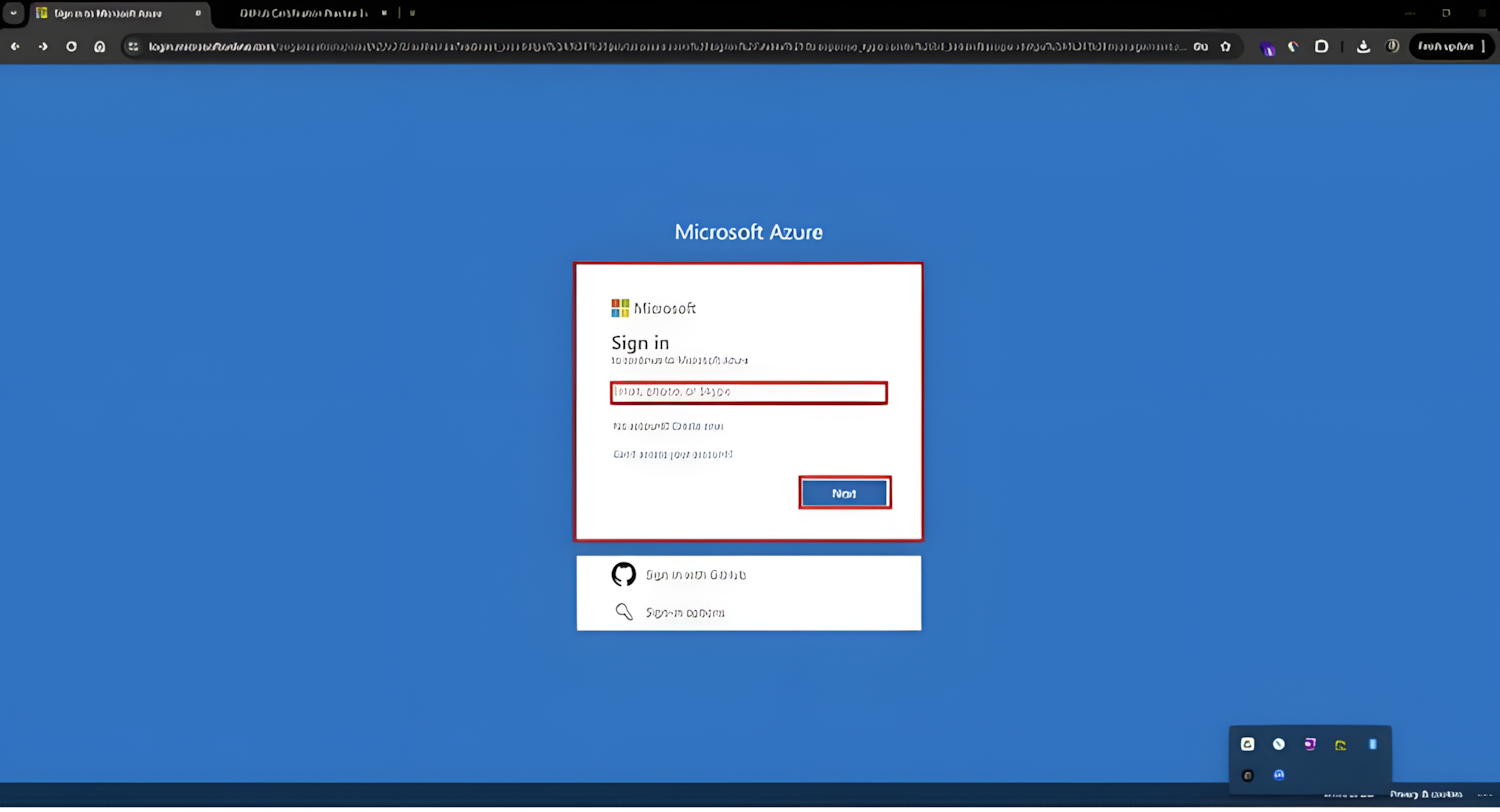
Step 2. Open Azure Foundry
Once inside the Azure Portal, use the search bar to find Microsoft Foundry and open the service.
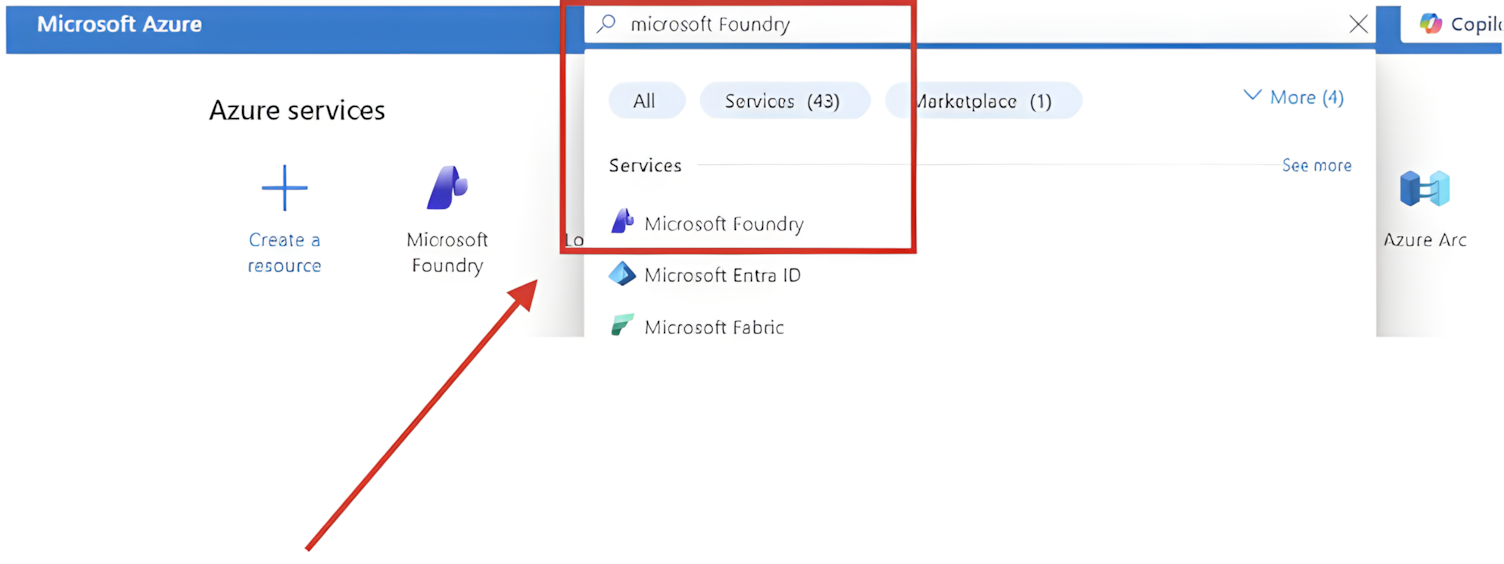
From there, you’ll access the workspace where AI projects, models, and agents are managed.
Step 3. Create a project
Before building an agent, Azure Foundry requires a project that will contain your AI resources.
Choose your project name, Azure subscription, resource group, and deployment region.
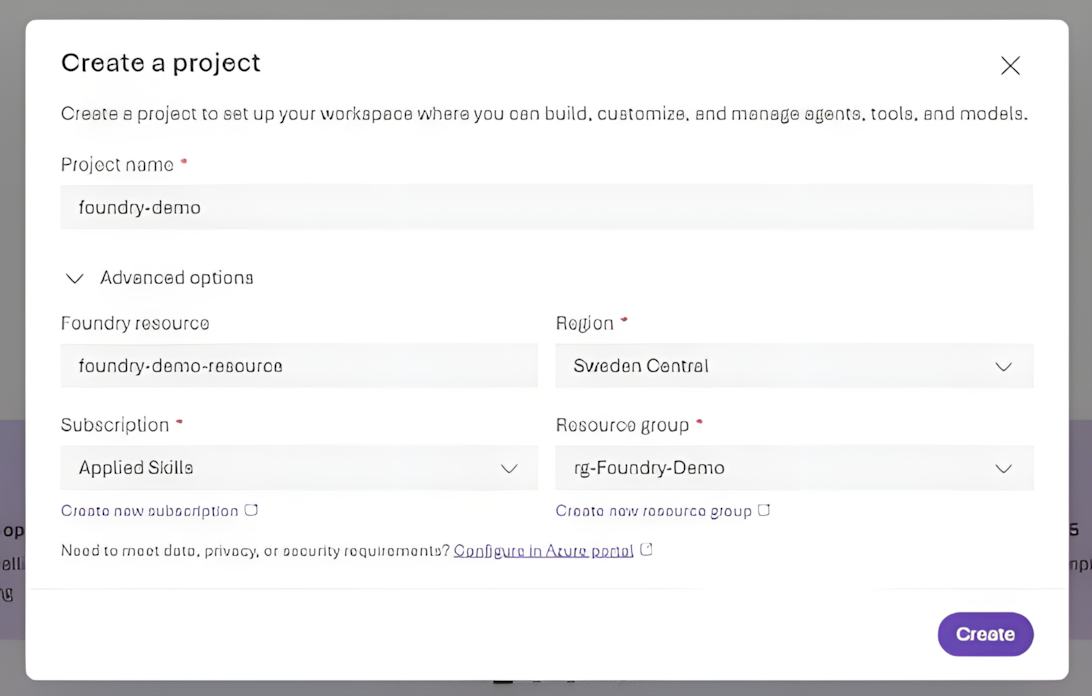
Once the project is created, you’ll have a workspace where you can manage models, agents, knowledge sources, and deployments.
Step 4. Create your AI agent
Inside the project, open the Agents Playground and create a new agent.
Azure Foundry allows you to choose from different language models depending on your requirements. GPT-4o is one option, but other models are also available depending on your deployment.
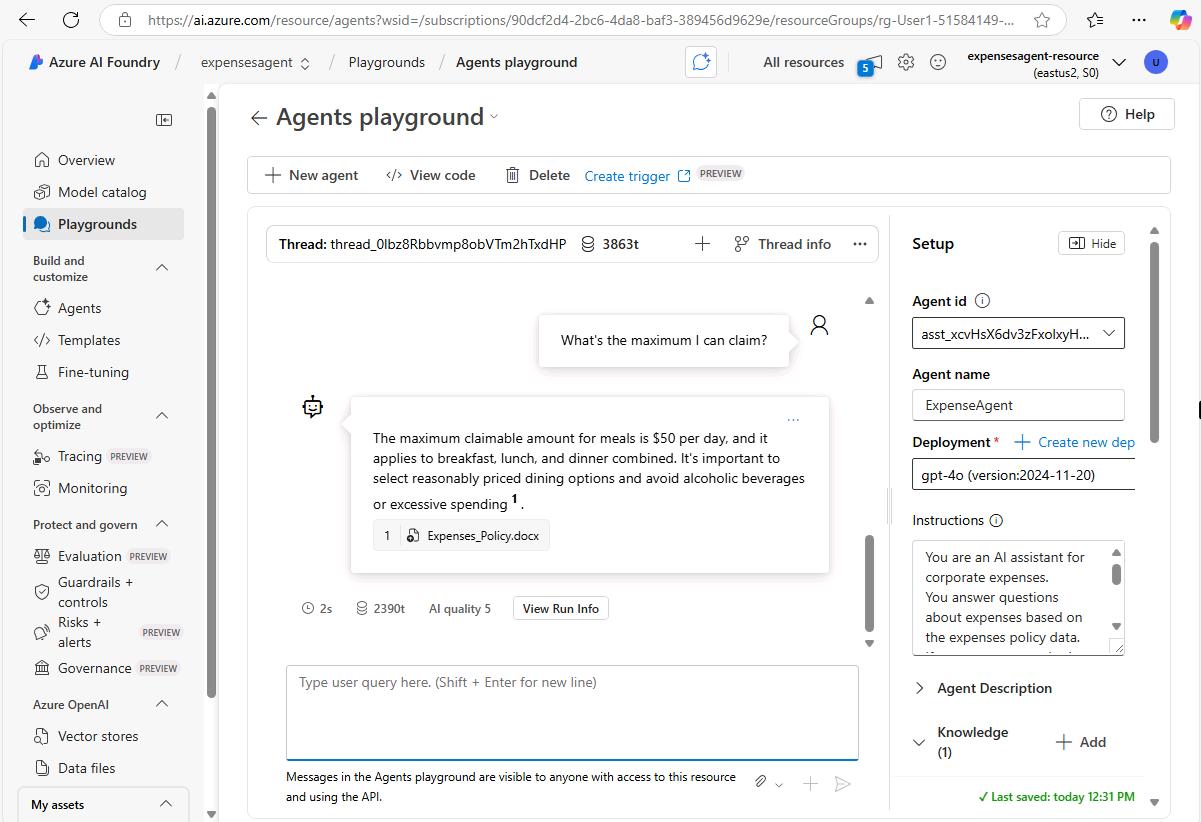
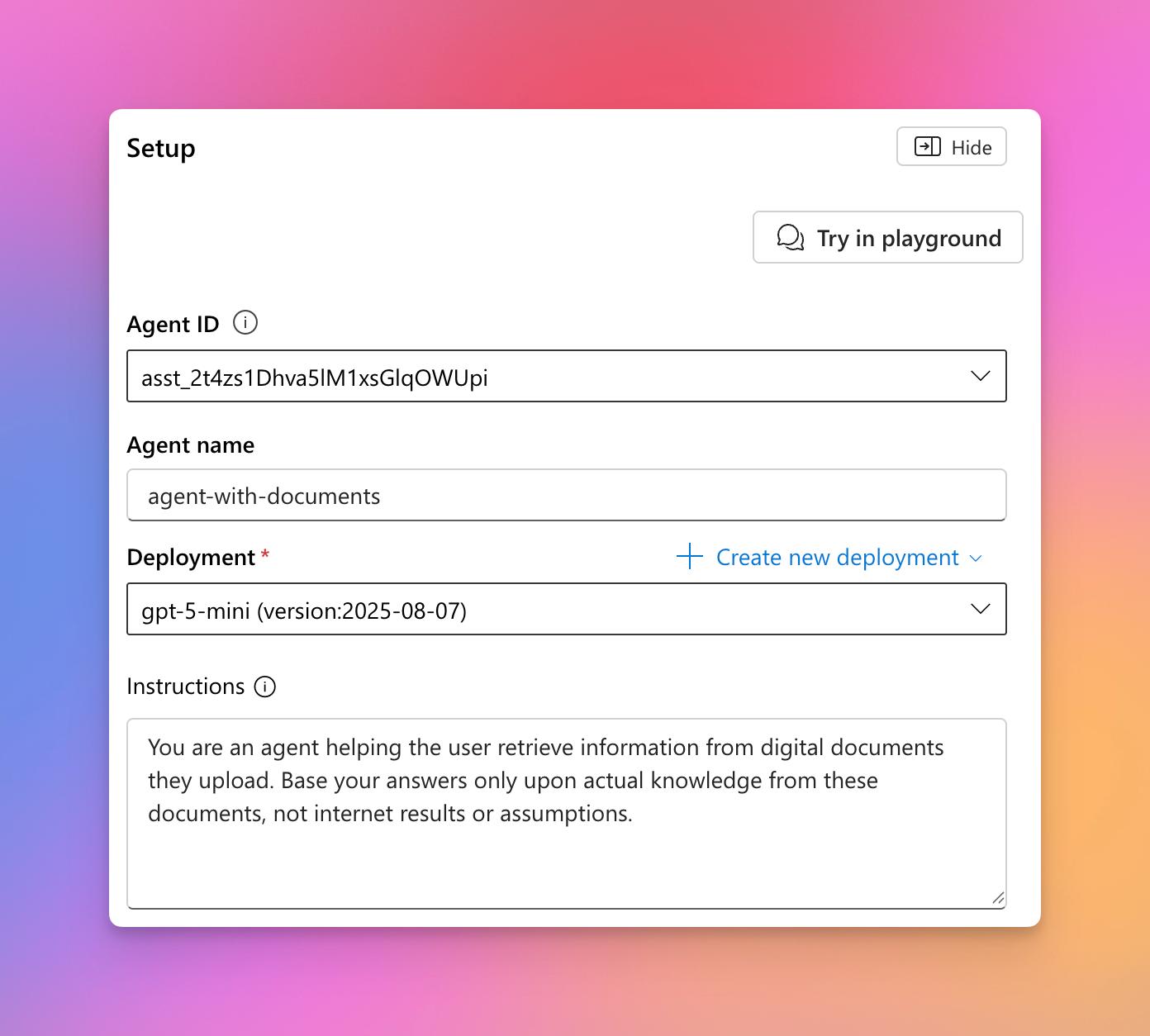
This environment lets you interact with your agent while configuring its behavior before integrating it into your own application.
Step 5. Configure the model
Once the agent has been created, you can fine-tune its behavior by adjusting parameters such as:
- Temperature, which controls how creative or deterministic the responses should be.
- Top P, which influences how diverse the generated responses are.
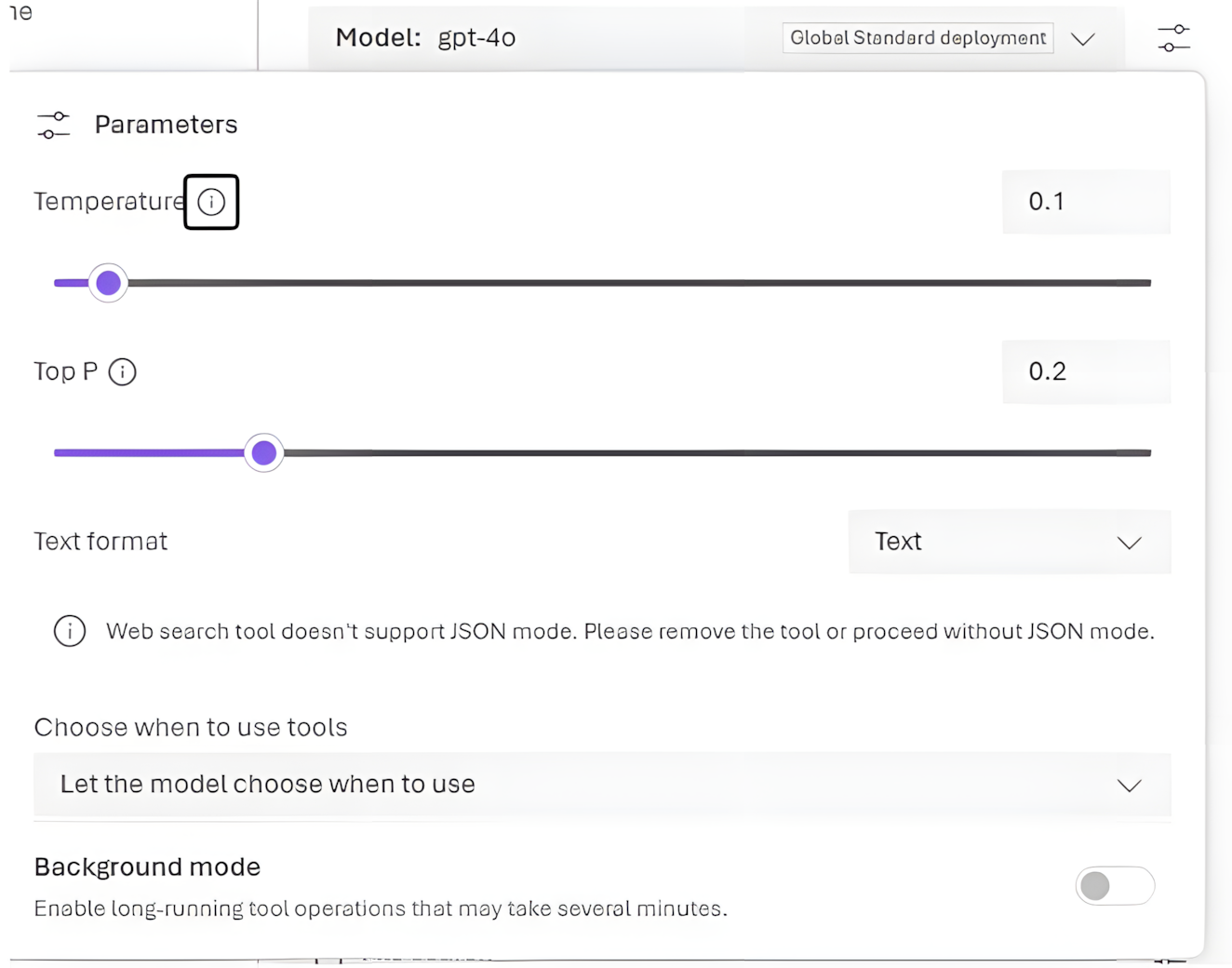
These settings allow you to adapt the agent’s responses to different scenarios, from highly consistent enterprise assistants to more creative conversational experiences.
Step 6. Define the agent’s role
Every AI agent needs clear instructions.
Use the Instructions section to define the agent’s purpose, responsibilities, expected behavior, and communication style.
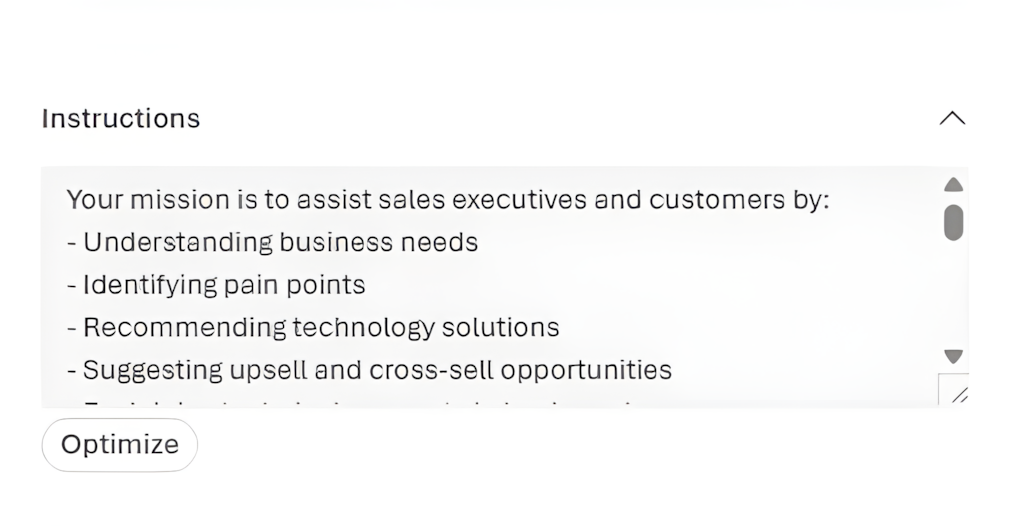
Well-written instructions are one of the most important factors influencing the quality of the responses your agent generates.
Step 7. Connect your data
An AI agent becomes significantly more valuable when it can access your organization’s knowledge.
Azure Foundry allows you to connect different knowledge sources, including:
- Documents
- Azure Blob Storage
- SharePoint
- File Search indexes
- Web Search
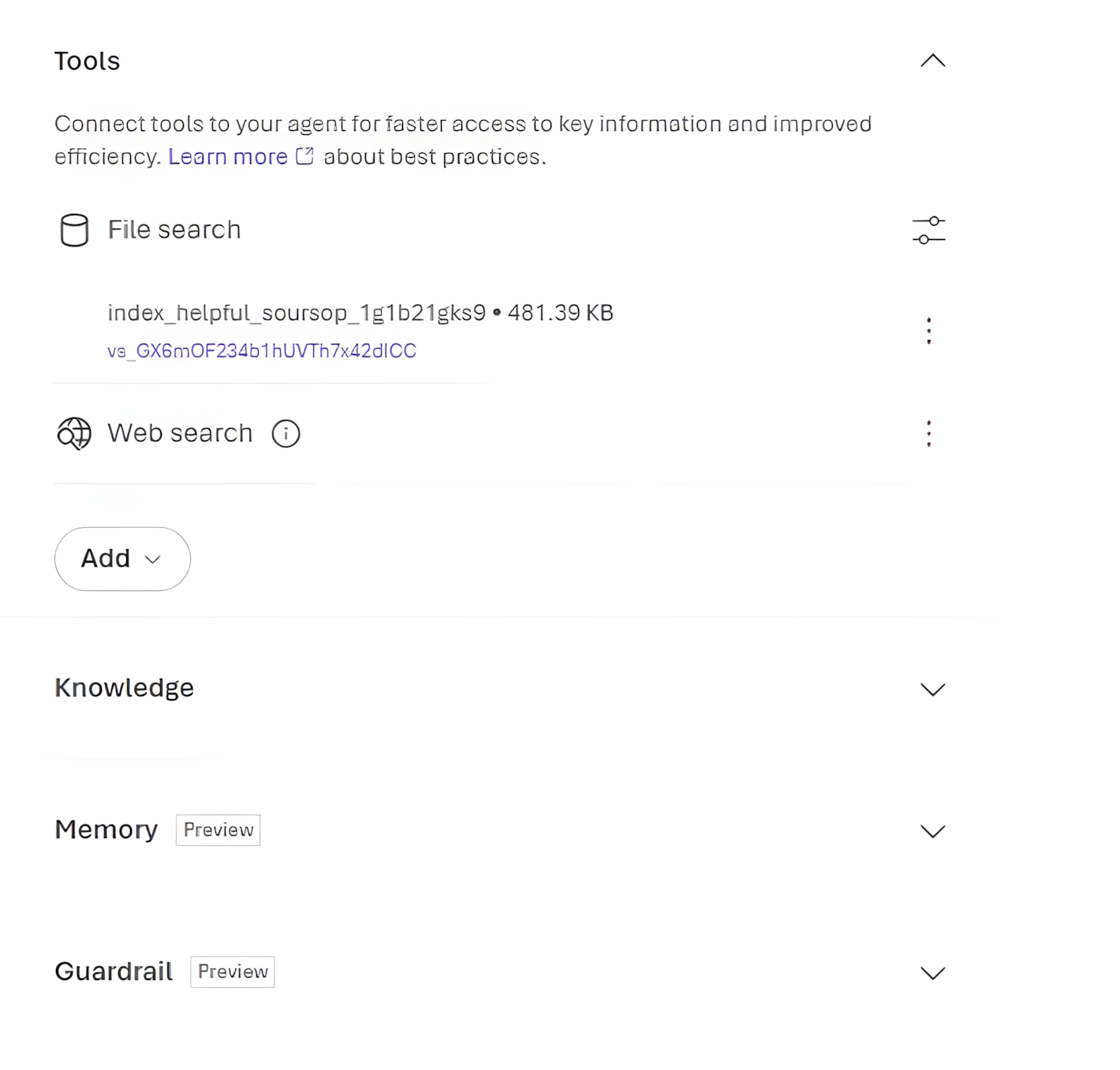
Providing your own knowledge sources enables the agent to generate responses based on your organization’s information rather than relying only on the model’s general knowledge.
Step 8. Integrate the agent into your application
Once your agent is configured, tested, and connected to the appropriate data sources, Azure Foundry automatically generates the code required to integrate it into your application.
Whether you’re developing with .NET or Python, Azure Foundry provides the necessary connection information, authentication settings, and sample code to help you get started quickly.
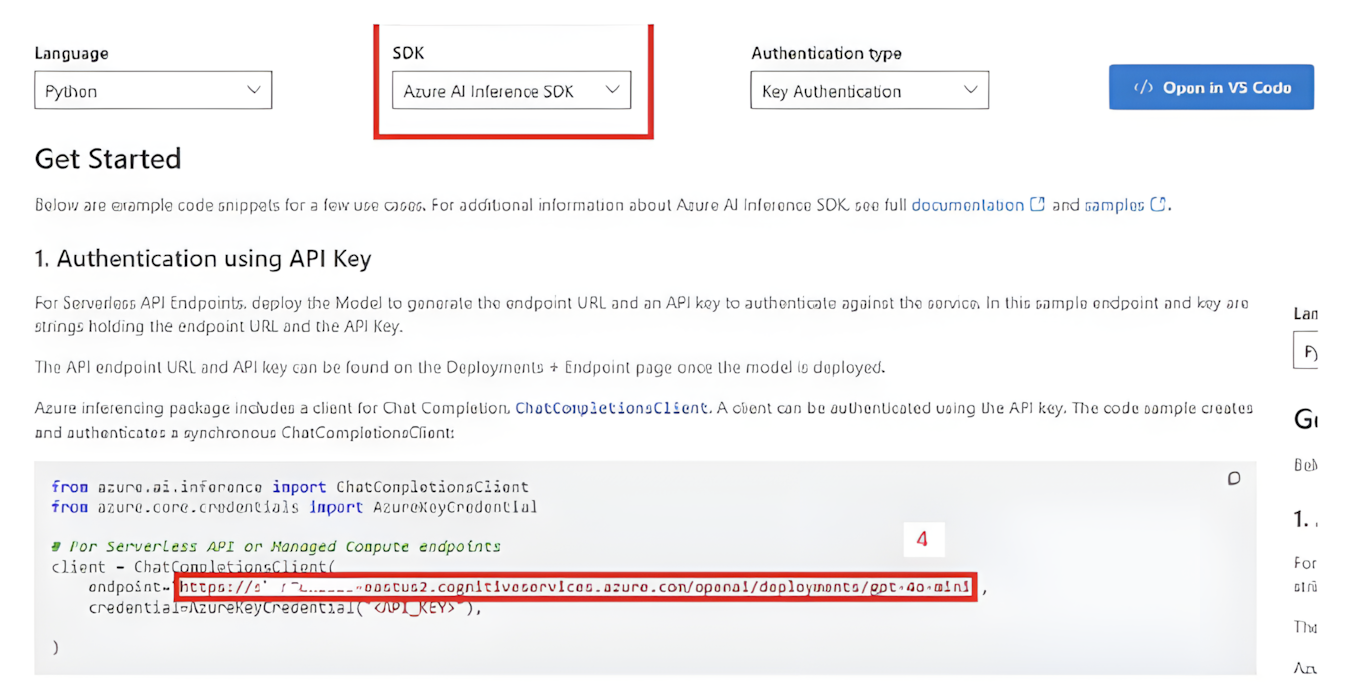
Simply copy the generated code, authenticate using your Azure credentials, and begin interacting with your AI agent from your application.
Start experimenting
Building AI agents no longer requires starting from scratch.
Platforms like Azure Foundry make it possible to prototype, test, and deploy enterprise-ready AI solutions in just a few steps, allowing developers to focus more on solving business problems than on building infrastructure.
At IGS, we encourage our technology teams to continuously explore new tools, experiment with emerging technologies, and transform new knowledge into practical solutions for our clients.
The best way to learn AI isn’t by reading about it—it’s by building with it.
If you’re passionate about artificial intelligence, cloud technologies, and building next-generation solutions, explore career opportunities at IGS and grow with a team that’s shaping the future of technology(opens in new tab).

Victor Manuel Labastida Flórez
Victor Manuel Labastida Flórez is a Developer at INSPYR Global Solutions with over 15 years of experience specializing in SQL and .NET technologies. He has worked on projects across industries such as finance, automotive, and consulting, applying his expertise to complex business environments. Outside of work, he enjoys learning about new technologies and spending time with his family.
Share This Article
Contact Us
We’re here for you when you need us. How can we help you today?