
Consuming an API in SSIS
INSPYR Global Solutions, Technical Blog

At INSPYR Global Solutions (IGS), we value innovation and continuous learning. Staying ahead means exploring new technologies, testing what they can do, and understanding when they can bring real value to the solutions we build.
But innovation doesn’t always mean replacing what’s already there.
Sometimes, a client already has a proven solution running exactly as expected and doesn’t need—or want—to rebuild it. They simply need to extend its capabilities.
That’s where experience with both emerging and legacy technologies becomes especially valuable. Understanding how to work within an existing environment allows us to respond to what the solution actually needs rather than introducing change simply for the sake of change.
Here’s a practical example: we have an SSIS package already in production. After completing one or more processes, it needs to update customer data by consuming a third-party geographic data API. The API will provide residential zone information based on data such as zip code, street, and neighborhood.
Let’s get to work.
Starting with our existing SSIS solution
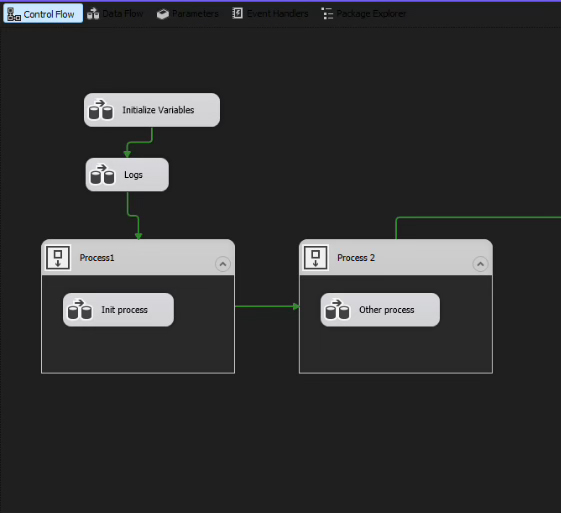
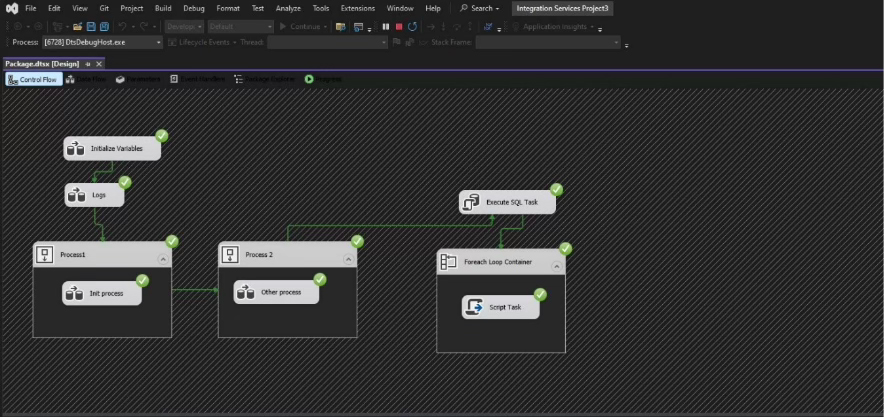
We already have our solution, where two processes are running.
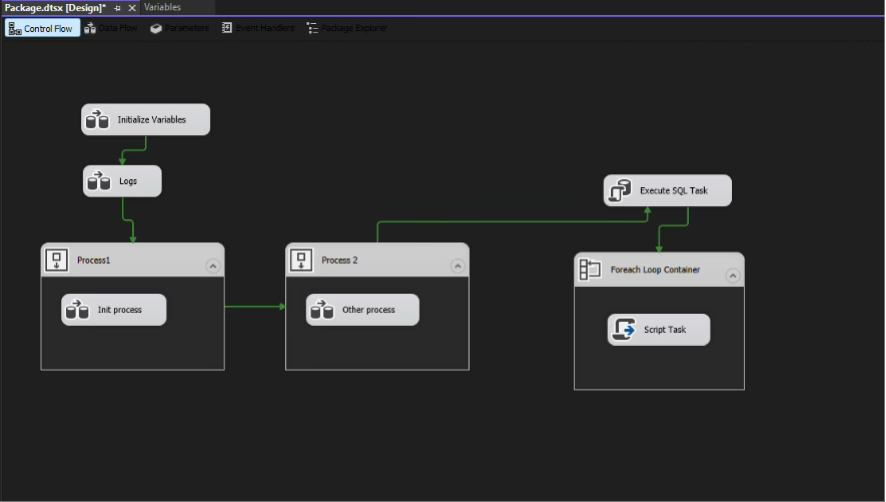
We’re going to add an Execute SQL Task and a ForEach Loop Container to iterate through our dataset.
Next, we create an Object-type variable to store the customer data we’ll be using, along with the additional variables we’ll need throughout the process.

Retrieving the customer data
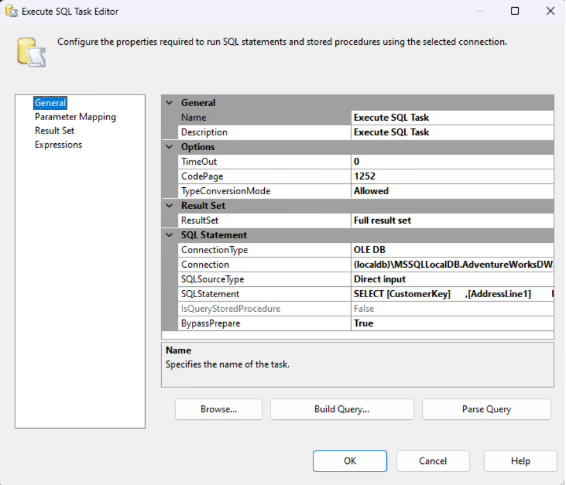
In the SQL task, we’ll configure our connection using Full Result Set and create a query to retrieve the customer ID and address.
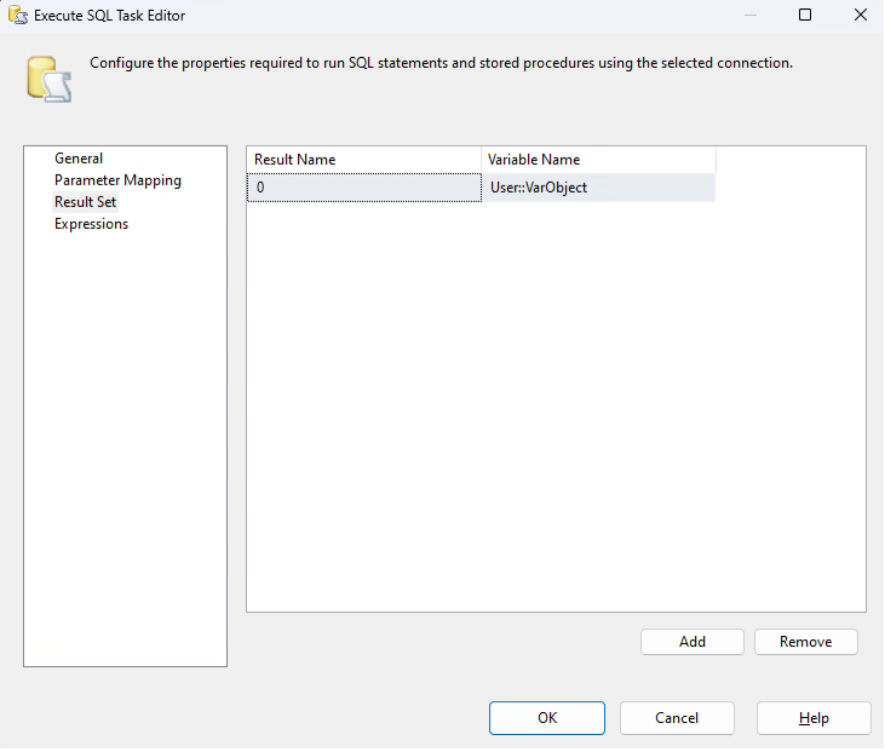
We then store the resulting data in our Object variable.
From there, we’ll use our ID and Address variables.
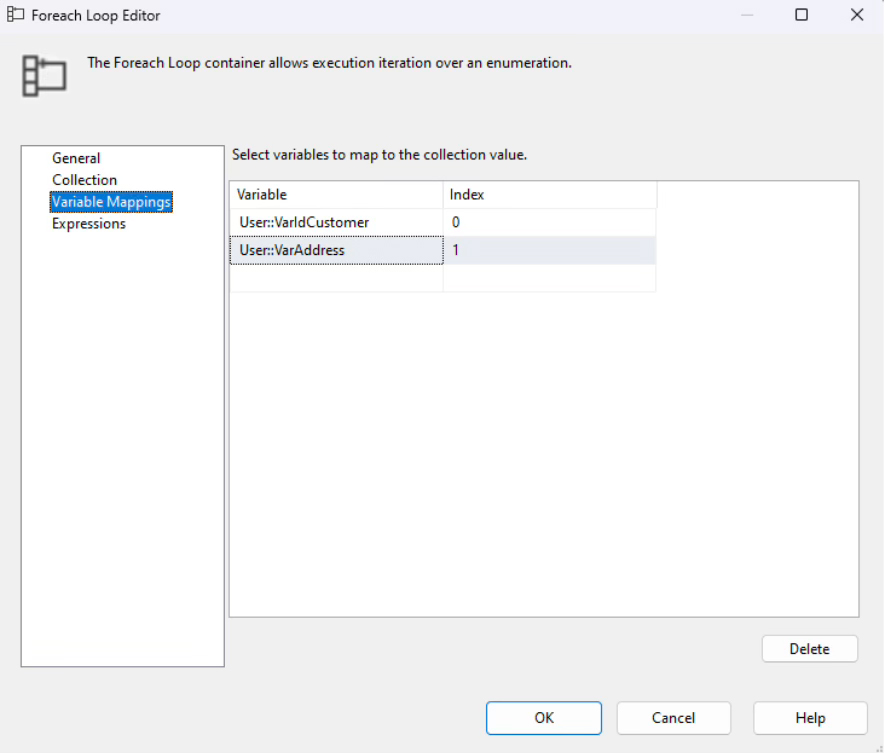
Configuring the loop
Now let’s move to the ForEach Loop Container.
We configure it to iterate through the dataset we’ve retrieved.
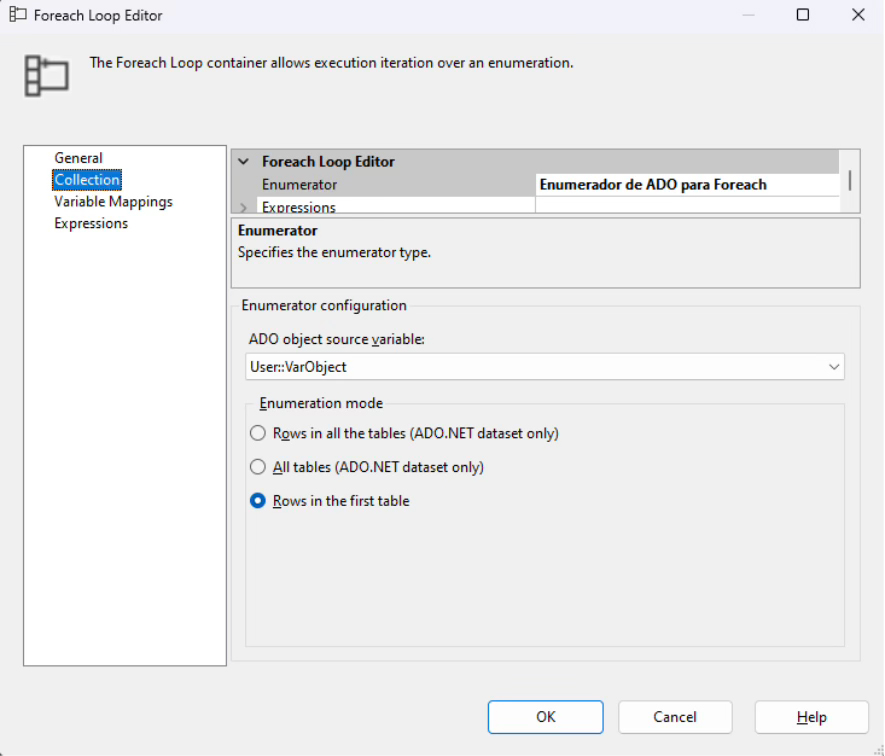
With our data ready to iterate, we can move to the part we’re really interested in: writing the code that will consume the API and update the customer’s data.
Consuming the API
In our Script Task, we assign the variables we’ll be reading.
Remember that we already have a Parameter containing the URL of our API.
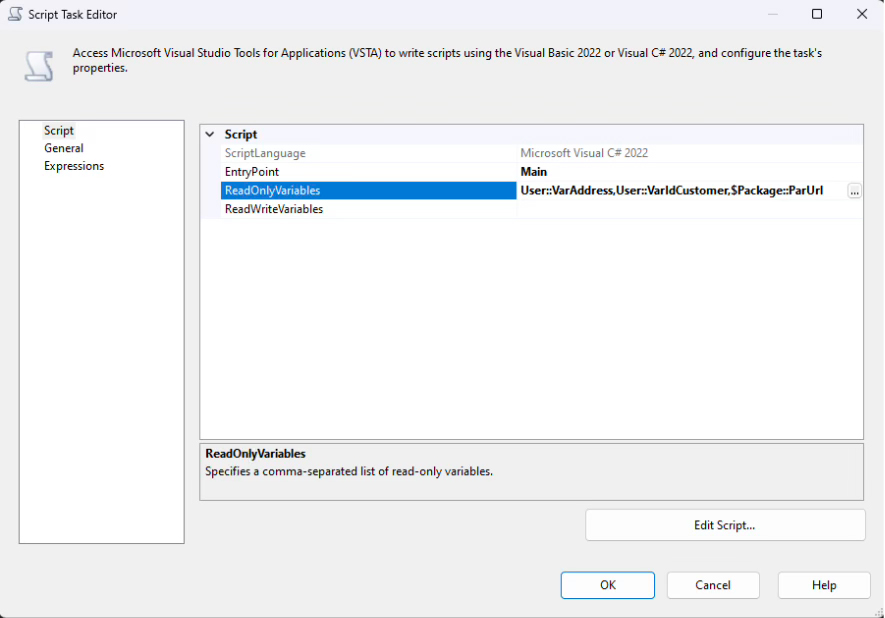
Now we can edit our script.
We’ll use the libraries we already know: HTTP and Newtonsoft. In these scripts, we can’t add third-party libraries or our own DLLs.
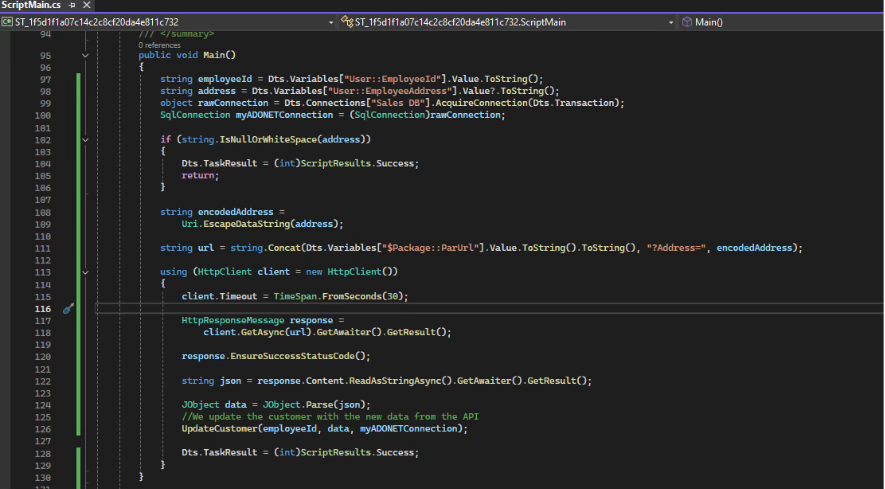
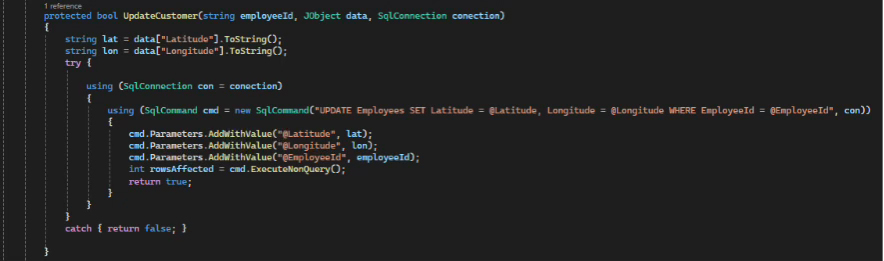
You can place the code in another method of your choosing.
Then, we use our method to update the current record.
Running the package
And that’s it. We can now run our package.
If tracking or error handling is required, it can be added directly in the script or through the package’s constraints.
Innovation also means knowing how to adapt
Working with technology isn’t always about choosing the newest tool available. Sometimes, the challenge is understanding an existing solution well enough to extend it without unnecessarily disrupting what already works.
At IGS, that adaptability is an important part of how we approach technology. Exploring emerging tools matters, but so does having the technical experience to work with established technologies when a project or client requires them.
The value isn’t simply in knowing what’s new or what’s legacy. It’s knowing how to use the right knowledge to solve the problem in front of you.
If you’re interested in solving real technology challenges, expanding your technical expertise, and working with teams that value both innovation and experience, explore career opportunities at IGS.

Victor Manuel Labastida Flórez
Victor Manuel Labastida Flórez is a Developer at INSPYR Global Solutions with over 15 years of experience specializing in SQL and .NET technologies. He has worked on projects across industries such as finance, automotive, and consulting, applying his expertise to complex business environments. Outside of work, he enjoys learning about new technologies and spending time with his family.
Share This Article
Contact Us
We’re here for you when you need us. How can we help you today?